Minimalist Marriage Biodata Designs for Mobile-First Sharing
Most biodata PDFs are opened on phones—often during commute hours or family gatherings. Minimalist design keeps content readable, fast to load, and easy to share without constant zooming. Here’s how to simplify your layout while preserving every critical detail prospects expect.
Why Minimalism Matters for Matrimony
- Quick comprehension: Clean sections and short paragraphs help parents skim within seconds.
- Low file size: Lightweight layouts travel faster on WhatsApp and email.
- Universal appeal: Simple typography looks modern without alienating traditional audiences.
- Focus on content: Minimal backdrops draw attention to your story, not just decoration.
Anatomy of a Minimalist Biodata
- Single-column flow
- Works best for mobile scrolling; use double-column only on desktop exports.
- Generous white space
- Maintain at least 16 px padding between sections for breathability.
- Two-font pairing
- One font for headings, another for body text. Sans-serif combos like Work Sans + Inter keep things crisp.
- Accent colors
- Rely on one primary color (teal, maroon, navy) with subtle grayscale backgrounds.
- Iconography
- Use thin-line icons to label sections—location pin, briefcase, book, heart.
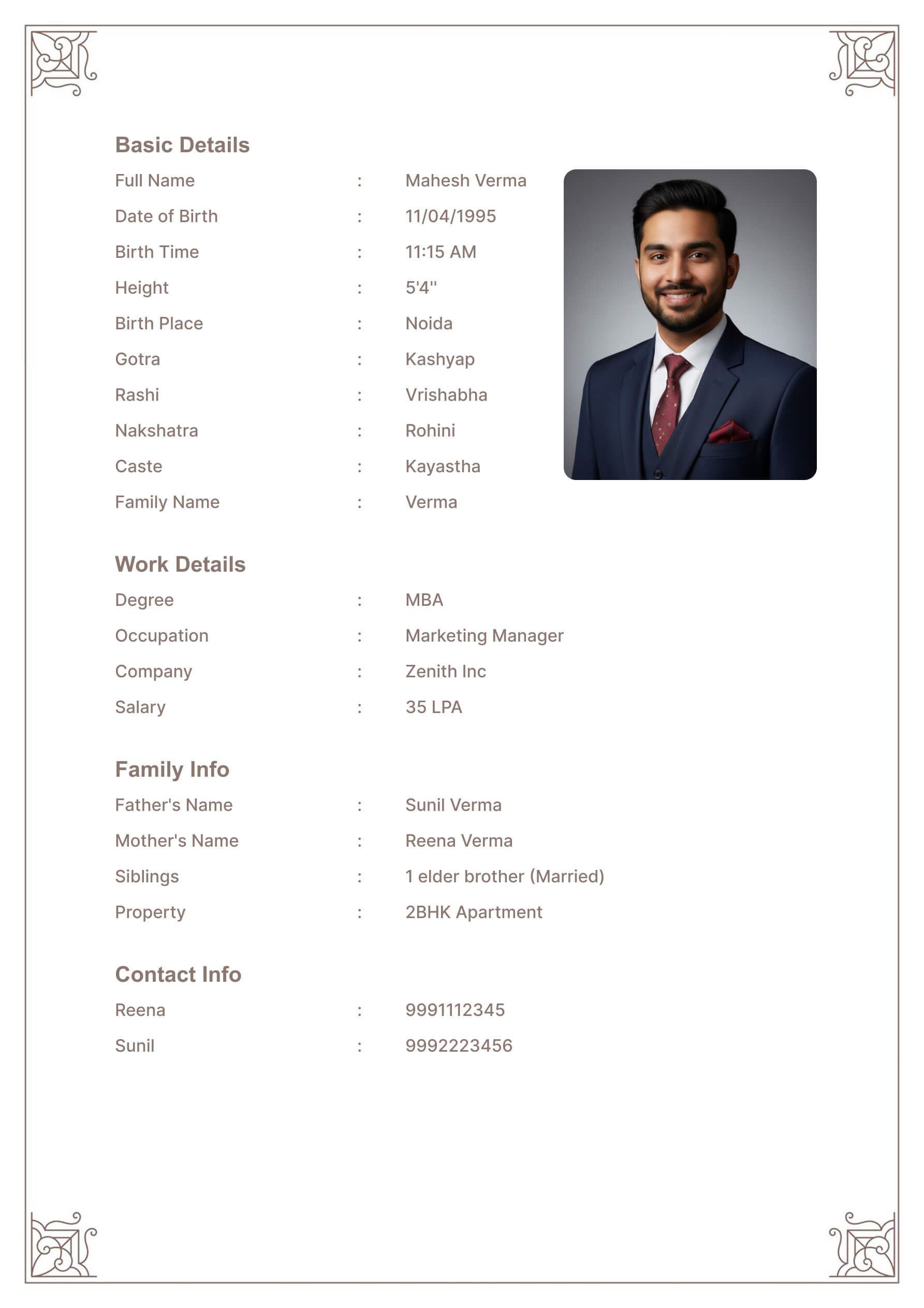 Simple template preview shows how generous padding and iconography keep mobile layouts airy.
Key Sections (Optimized for Scroll)
- Hero block: Name, age, location, one-line philosophy.
- Snapshot cards: Height, education, profession, languages in pill-shaped boxes.
- Story block: 2–3 short paragraphs covering upbringing, career, and lifestyle.
- Partner expectations: Bullet list with no more than five points.
- CTA footer: A polite line inviting further conversation plus contact handles.
Use the MatrimonyBio editor to drag-and-drop these blocks, then preview on mobile mode before exporting.
Working across borders? Pair this layout with the long-distance biodata playbook so communication timelines stay clear. When you want to add seasonal flair without clutter, borrow motif ideas from the festival template guide.
Photo Guidelines for Minimal Layouts
- Select one professional headshot and one lifestyle image.
- Crop them into circles or rounded rectangles to maintain symmetry.
- Compress images below 300 KB while keeping clarity. Tools like Squoosh or TinyPNG work well.
- Avoid busy backgrounds; neutral walls or soft outdoor scenes complement minimalist designs.
Need inspiration for color contrast? Reference the Material Design accessibility guidelines when picking shades so text remains legible.
Testing Your Mobile Experience
- Send the PDF to yourself on WhatsApp and review on a 6-inch screen.
- Zoom to 125%—text should stay sharp without pixelation.
- Check tap targets if you include QR links (LinkedIn, Calendly). Ensure they’re at least 44 px tall.
- Dark mode preview: Some phones invert colors; make sure contrast holds up.
- Print fallback: Even minimalist layouts should print cleanly on A4 paper.
Template Recommendations
- Modern Template: Start here and reduce decorative borders.
- Minimal Template (inside MatrimonyBio): single-column with iconography baked in.
- Natural Template: Remove floral elements, keep earthy tones for a calm aesthetic.
- Custom clone: Duplicate any template, strip gradients, increase padding, and save as a personalized minimalist version.
Common Mistakes to Avoid
- Shrinking fonts to fit more text
- Keep body text at 14–16 px. Instead, trim the content.
- Overusing pastel text
- Light gray on white becomes unreadable; stick to #111 or #2D2D2D.
- Center-aligning everything
- Left alignment improves readability on narrow screens.
- Skipping section labels
- Minimal doesn’t mean ambiguous; headings guide readers.
- Forgetting partner contact info
- Add a short note: “Family references available on request.”
Final Call-to-Action
Minimalist marriage biodata designs prove that clarity is a luxury. Focus on essentials, let white space breathe, and test on multiple devices before sharing. Once your content is ready, use the MatrimonyBio editor to build, preview, and export a clean PDF that feels timeless on both phone screens and printed pages.